- Summary
定番のDrupalモジュールを探してみた。
- CCK
Content Construction Kit (CCK) | drupal.org
http://drupal.org/project/cck
Content Construction Kit (CCK) 日本語翻訳 | DRUPAL*DRUPAL
http://drupalxdrupal.com/project/194
- Views
Views | drupal.org
http://drupal.org/project/views
Views 日本語翻訳 | DRUPAL*DRUPAL
http://drupalxdrupal.com/project/196
- Taxonomy Menu
Taxonomy Menu | drupal.org
http://drupal.org/project/taxonomy_menu
- Pathauto
指定したルールを基に URL エイリアスを自動生成するためのモジュール
Pathauto | drupal.org
http://drupal.org/project/pathauto
Pathauto 日本語翻訳 | DRUPAL*DRUPAL
http://drupalxdrupal.com/project/38
- Token
Token | drupal.org
http://drupal.org/project/token
Token 日本語翻訳 | DRUPAL*DRUPAL
http://drupalxdrupal.com/project/43
- AdSense /AdSense Injector
AdSense | drupal.org
http://drupal.org/project/adsense
Adsense Injector | drupal.org
http://drupal.org/project/adsense_Injector
- Meta tags
Meta tags | drupal.org
http://drupal.org/project/nodewords
- XML Sitemap
XML Sitemap | drupal.org
http://drupal.org/project/xmlsitemap
XML Sitemap 日本語翻訳 | DRUPAL*DRUPAL
http://drupalxdrupal.com/project/51
- FileField
FileField | drupal.org
http://drupal.org/project/filefield
FileField 日本語訳 | drupal.pineray.jp
http://drupal.pineray.jp/node/80
- ImageField
ImageField | drupal.org
http://drupal.org/project/imagefield
- ImageField 日本語訳 | drupal.pineray.jp
http://drupal.pineray.jp/node/78
- ImageCache
ImageCache | drupal.org
http://drupal.org/project/imagecache
ImageCache 日本語訳 | drupal.pineray.jp
http://drupal.pineray.jp/node/57
- Lightbox2
Lightbox2 | drupal.org
http://drupal.org/project/lightbox2
- Devel
Devel | drupal.org
http://drupal.org/project/devel
Devel 日本語訳 | drupal.pineray.jp
http://drupal.pineray.jp/node/68
- Reference
役に立ちそうなDrupalモジュールの一覧
http://www.marusankakusikaku.jp/archives/2007/05/22-drupal.html
- Reference
symfony Web PHP framework
http://www.symfony-project.com/
CodeZine - symfony入門: symfonyで始めるPHPフレームワーク
http://codezine.jp/a/article/aid/704.aspx
FrontPage - Symfony.jp Symfonyの日本語情報
http://symfony.jp/
- Reference
ITpro - 2006-09-05 - ルートキット削除ツール,13本を一気に紹介
http://itpro.nikkeibp.co.jp/article/COLUMN/20060905/247228/
- Reference
人力検索はてな - グーグルアースがおもしろくてはまっています。みなさん、どこかお薦めの場所はありますか?ぜひ教えてください。
http://q.hatena.ne.jp/1157103727
- Reference
css Zen Garden: The Beauty in CSS Design
http://www.csszengarden.com/?cssfile=/156/156.css&page=0
- via
Creative Nights - Digital Portfolio of Marko Dugonji-
http://www.creativenights.com/
- via
GIGAZINE - 2006-08-27 - Linuxディストリビューションの系統図
http://gigazine.net/index.php?/news/comments/20060827_linux_distributions/
- Internet Explorer の制限付きサイトに登録する方法
- Reference
Stop the Jword/JwordをブロックするIEの設定方法
http://www3.ocn.ne.jp/~techu/stop_jword.html
CnsMinの除去方法
http://www.higaitaisaku.com/removecnsmin.html
- via
JWordはスパイウエア 2 寄生虫の防御方法
http://www.s1.inets.jp/~lithium/jnk/jnk_010.html
- Reference
Web屋のネタ帳 - 2006-08-16 - DNSラウンドロビンとmod_proxy_balancerによるWebサイトの負荷分散 (案)
http://neta.ywcafe.net/000631.html
@IT - Apache 2.2でWebサイトをパフォーマンスアップ! (3/3)
http://www.atmarkit.co.jp/flinux/special/apache22/apache03.html
YappoLogs - 2005-12-02 - Apache 2.2.0 のロードバランス機能(mod_proxy_balancer)を使いこなす
http://blog.yappo.jp/yappo/archives/000352.html
naoyaのはてなダイアリー - 2005-12-02 - Apache 2.2.0 + mod_proxy_balancer
http://d.hatena.ne.jp/naoya/20051205/1133782641
cyano - 2006-02-04 - mod_proxy_balancerで中〜大規模サーバー運用するときの勘所 - (1) mod_proxy_balancerの設定編
http://www.onflow.jp/blog/archives/2006/02/mod_proxy_balan.html
Techknow Movable Type - 2004-10-11 - Apache 2.0 + mod_proxy によるリバース・プロキシの構築
http://www.sixapart.jp/movabletype/developers/naoya/archives/2004/10/apache_20_mod_p.html
qwikWeb:Integrating Mailing List and WikiWikiWeb(Wiki) - Apache下での利用
http://qwik.jp/qwikweb/UseWithApache.html
- Reference
Windows Tips
http://www.it.iitb.ac.in/~sudhir/Hacking/Win_XP_Hack.html
- Reference
@nifty:デイリーポータルZ:回転する画像
http://portal.nifty.com/2006/08/04/a/
- Summary
| get -R filename | 再帰的に取得 |
| get -f filename | 強制的に上書き |
- Reference
iConquer
http://www.kavasoft.com/iConquer/
- Xdebug
Xdebug
http://www.xdebug.org/
PECL :: Package :: Xdebug
http://pecl.php.net/package/Xdebug
- phpDocumentor
phpDocumentor: The complete documentation solution for PHP
http://phpdoc.org/
SourceForge.net: PhpDocumentor
http://sourceforge.net/projects/phpdocu/
- APD - Advanced PHP Debugger
PECL :: Package :: apd
http://pecl.php.net/package/apd
Advanced PHP debugger
http://php.s3.to/man/ref.apd.html
- APC - Alternative PHP Cache
PECL :: Package :: APC
http://pecl.php.net/package/APC
- PHP Accelerator
ionCube社が無償で提供しているソフトウェア.
The ionCube PHP Accelerator: Home
http://www.php-accelerator.co.uk/
ionCube PHP Encoding and Acceleration: ionCube PHP Accelerator
http://www.ioncube.jp/accelerator/
- Reference
Do You PHP? - Xdebugを導入してみる - JavaのStackTraceが欲しい!
http://www.doyouphp.jp/tips/tips_xdebug.shtml
phpDocumentor - phpspot
http://phpspot.net/php/pgphpDocumentor.html
- via
FrOSCon "PHP best practices"資料 (SOLVALOU.NET)
http://solvalou.net/2006/06/froscon_php_best_practices.html
- Reference
Web Designing 2006年4月号 p.66 - p.91
- Summary
jigdo を利用すると,最新のパッケージ,カーネルのISOイメージを簡単に作成できる.
- 手順
1. インストールCDの作成
jigdo-fileをインストール,起動
# aptitude install jigdo-file
% jigdo-lite
jigdoファイルのURIは以下を指定
http://cdimage.debian.org/debian-cd/3.1_r1/i386/jigdo-cd/debian-31r1-i386-binary-1.jigdo
Jigsaw Download "lite"
Copyright (C) 2001-2004 | jigdo@
Richard Atterer | atterer.net
Getting mirror information from /etc/apt/sources.list
-------------------------------------------------------------
To resume a half-finished download, enter name of .jigdo file.
To start a new download, enter URL of .jigdo file.
You can also enter several URLs/filenames, separated with spaces,
or enumerate in {}, e.g. `http://server/cd-{1_NONUS,2,3}.jigdo'
jigdo: http://cdimage.debian.org/debian-cd/3.1_r1/i386/jigdo-cd/debian-31r1-i386-binary-1.jigdo
Downloading .jigdo file
jigdoファイルのダウンロード後,スキャンするパスを聞いてくる.
Enter のみ入力.
-------------------------------------------------------------
Images offered by `http://cdimage.debian.org/debian-cd/3.1_r1/i386/jigdo-cd/debian-31r1-i386-binary-1.jigdo':
1: 'Debian GNU/Linux 3.1 r1 "Sarge" - Official i386 Binary-1 CD' (debian-31r1-i386-binary-1.iso)
Further information about `debian-31r1-i386-binary-1.iso':
Generated on Tue, 20 Dec 2005 00:33:52 +0100
-------------------------------------------------------------
If you already have a previous version of the CD you are
downloading, jigdo can re-use files on the old CD that are also
present in the new image, and you do not need to download them
again. Mount the old CD ROM and enter the path it is mounted under
(e.g. `/mnt/cdrom').
Alternatively, just press enter if you want to start downloading
the remaining files.
Files to scan:
ミラーを選択.
/etc/apt/sources.list から1行目のデータが使用されるのか,
デフォルトで http://ftp.ring.gr.jp/pub/linux/debian/debian-ddtp/ になっていた.
ここで,jp と入力すると,日本のミラーサイトの一覧が表示される.
-------------------------------------------------------------
The jigdo file refers to files stored on Debian mirrors. Please
choose a Debian mirror as follows: Either enter a complete URL
pointing to a mirror (in the form
`ftp://ftp.debian.org/debian/'), or enter any regular expression
for searching through the list of mirrors: Try a two-letter
country code such as `de', or a country name like `United
States', or a server name like `sunsite'.
Debian mirror [http://ftp.ring.gr.jp/pub/linux/debian/debian-ddtp/]:
Downloading .template file
以下が表示されてダウンロードとイメージデータ作成開始.
-------------------------------------------------------------
Merging parts from `file:' URIs, if any...
Found 0 of the 1190 files required by the template
Will not create image or temporary file - try again with different input files
以下が表示されたらイメージデータ作成完了.
Found 1 of the 1 files required by the template
Successfully created `debian-31r1-i386-binary-1.iso'
-------------------------------------------------------------
Finished!
The fact that you got this far is a strong indication that `debian-31r1-i386-binary-1.iso'
was generated correctly. I will perform an additional, final check,
which you can interrupt safely with Ctrl-C if you do not want to wait.
OK: Checksums match, image is good!
Windowsでイメージを作成するには,以下サイトからWindows用クライアントをダウンロードして使用する.
http://atterer.net/jigdo/
jigdo-lite.bat
で起動.
2. ISOイメージを焼く
Windows でイメージを焼くには,CD Manipulator を利用する.
- 下段左から二番目をクリック
- トラックリストタブをクリック
- メニューバーのトラック -> iso ファイルの挿入
- CD の書き込み
3. インストール
- Reference
Sarge(Debian) をインストールしよう CD編
http://www.eva.gr.jp/~help/linux/2005/20050711.html
jigdo (Jigsaw Download) - a download manager for CD/DVD images
http://atterer.net/jigdo/
- Reference
SourceForge.net: PHP Screw
http://sourceforge.net/projects/php-screw/
ThePM9.com - IT SOLUTIONS - PHP Extension Module
http://www.pm9.com/newpm9/itbiz/php/phpscrew/
- via
MOONGIFT - PHP Screw
http://oss.moongift.jp/intro/i-1177.html
MOONGIFT - PHP Screw レビュー
http://oss.moongift.jp/review/i-1180.html
- 前提
http://example.com/xoops/ に XOOPS Cube をインストールしたい.
DocumentRoot は /var/www
- ファイルを展開して /var/www/xoops にコピー
% tar xzvf xoops-2.0.13a-JP.tar.gz
# xoops-2.0.13a-JP /var/www/xoops
- 所有者の設定
% cd /var/www/xoops
# chown -R www-data:www-data *
- ファイルの移動
# mv /var/www/xoops/html/* /var/www/xoops
- XOOPS用のDBとユーザを作成
% mysqladmin -uroot create xoops
% mysql -uroot mysql
mysql> GRANT ALL PRIVILEGES ON xoops.* TO xoops@localhost IDENTIFIED BY 'password' WITH GRANT OPTION;
mysql> quit
% mysqladmin -uroot reload
- インストール ウィザードページへのアクセス
http://example.com/xoops/ へアクセスすると…
http://example.com/xoops/install/index.php に自動リダイレクト.
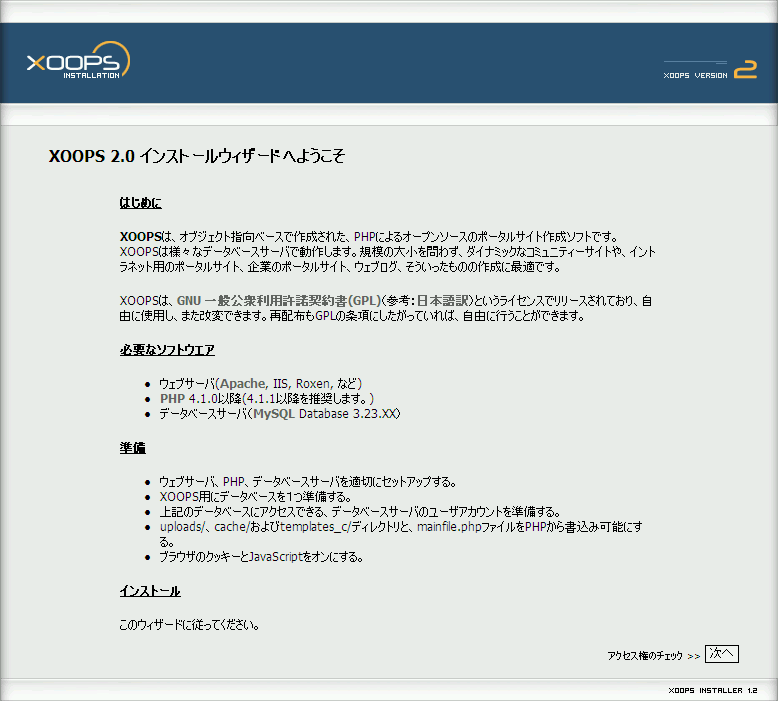
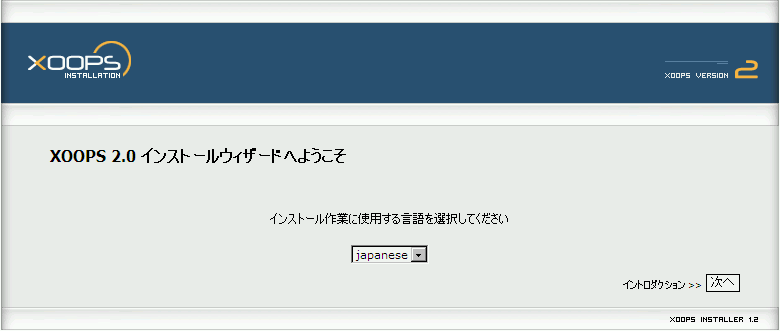
- インストール ウィザード トップページ

- インストール ウィザード イントロダクション

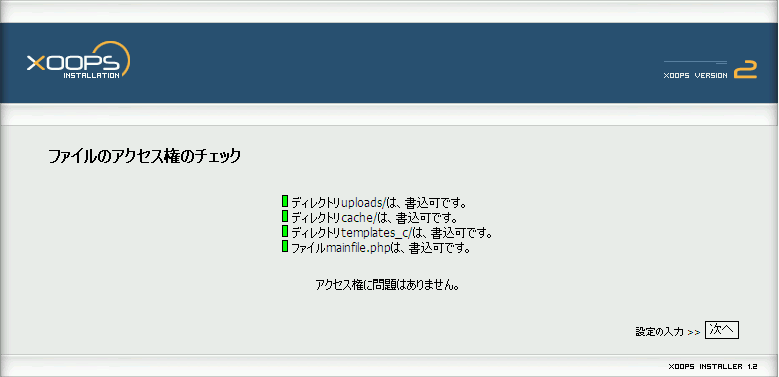
- ファイルのアクセス権のチェック

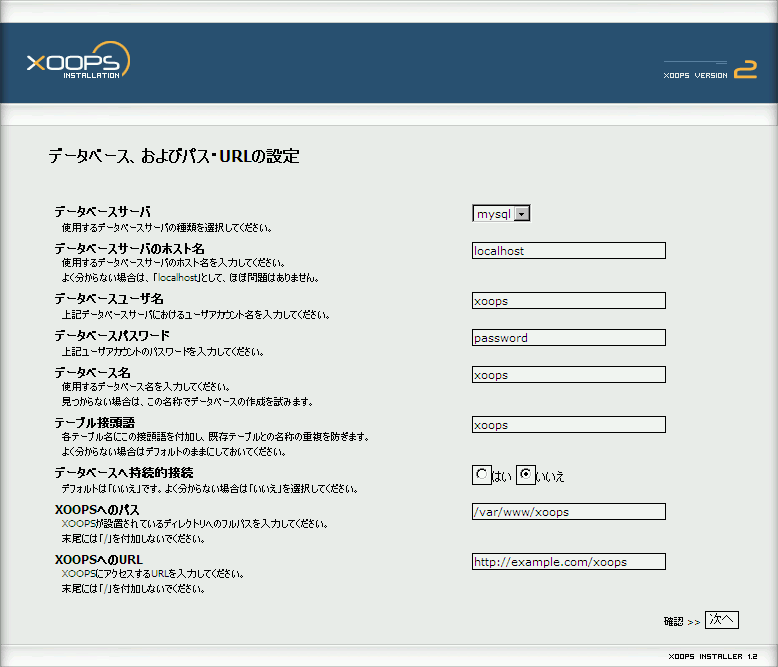
- データベース,およびパス・URLの設定

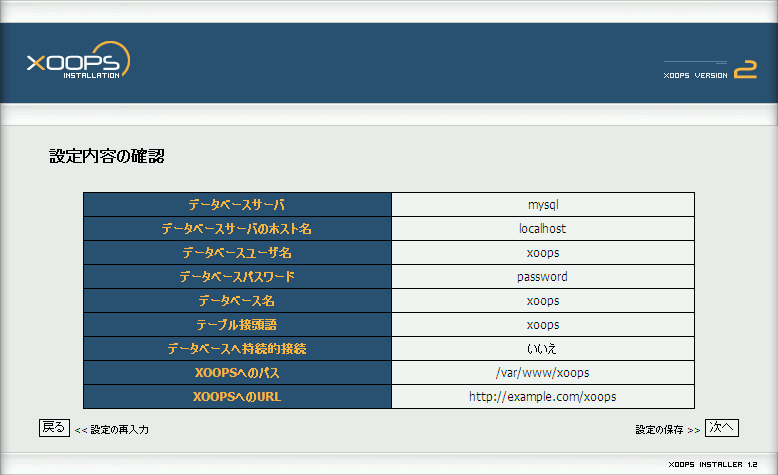
- データベース,およびパス・URLの設定の内容確認

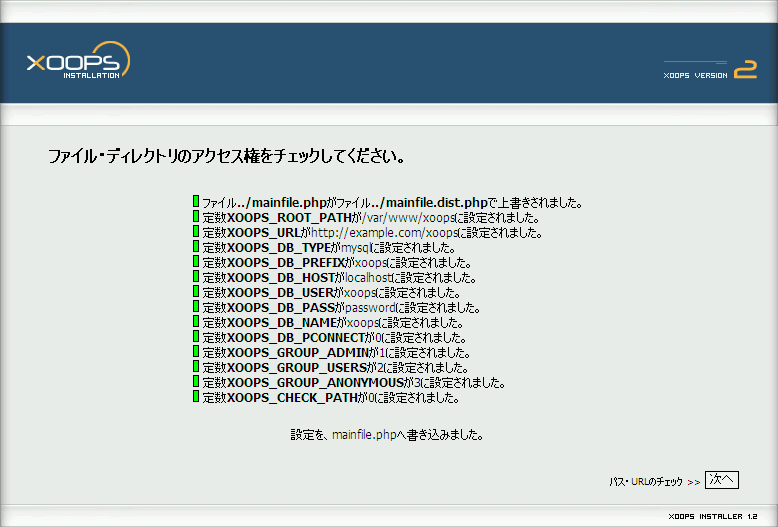
- mainfile.php の作成

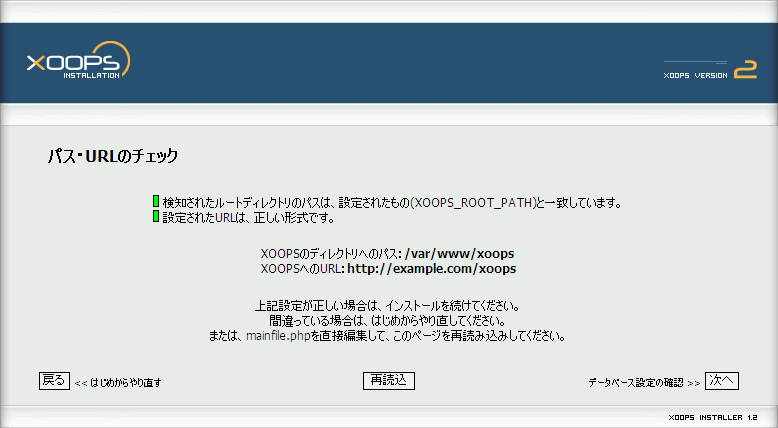
- パス・URLのチェック

- データベース設定の確認

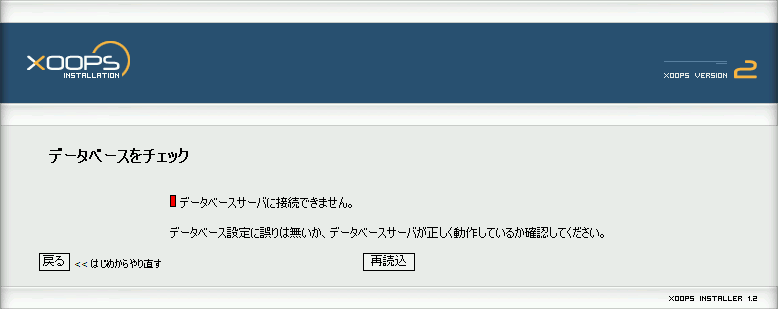
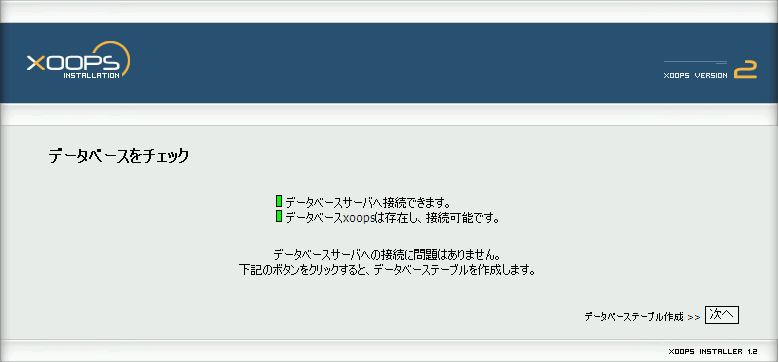
- データベースをチェック
以下のエラーが出た場合は 「データベース,およびパス・URLの設定」まで戻って設定をやり直し.

正常に処理された場合は以下の表示

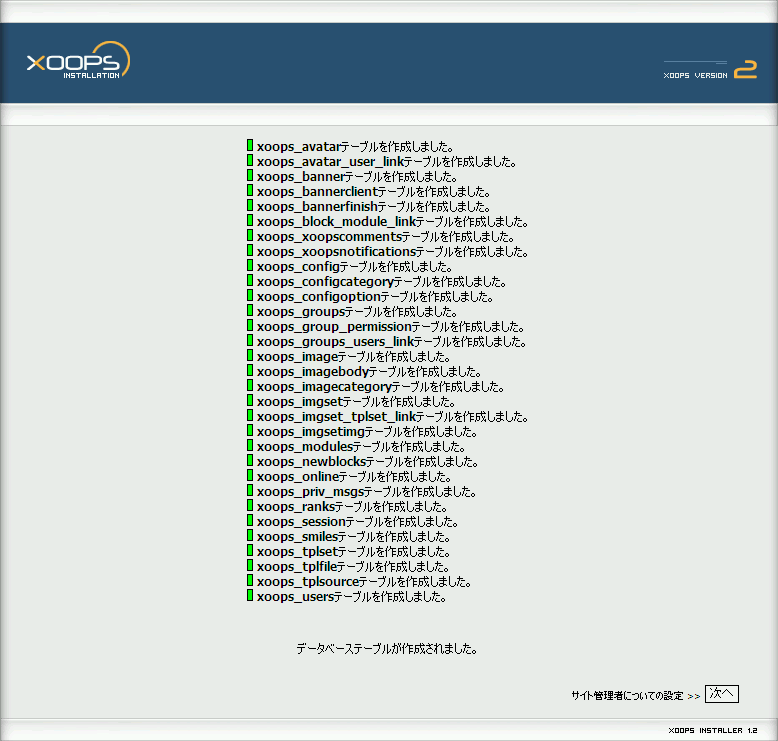
- テーブルの作成

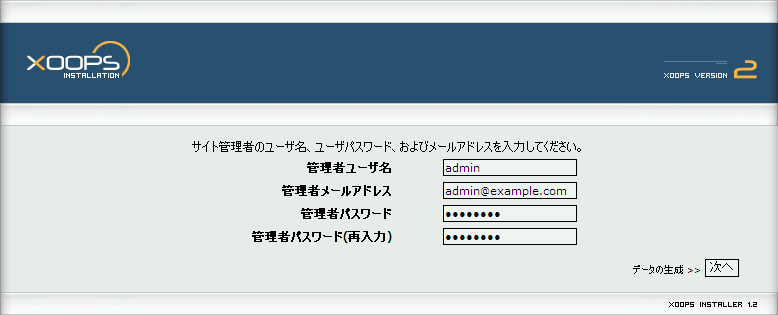
- 管理者ユーザの作成

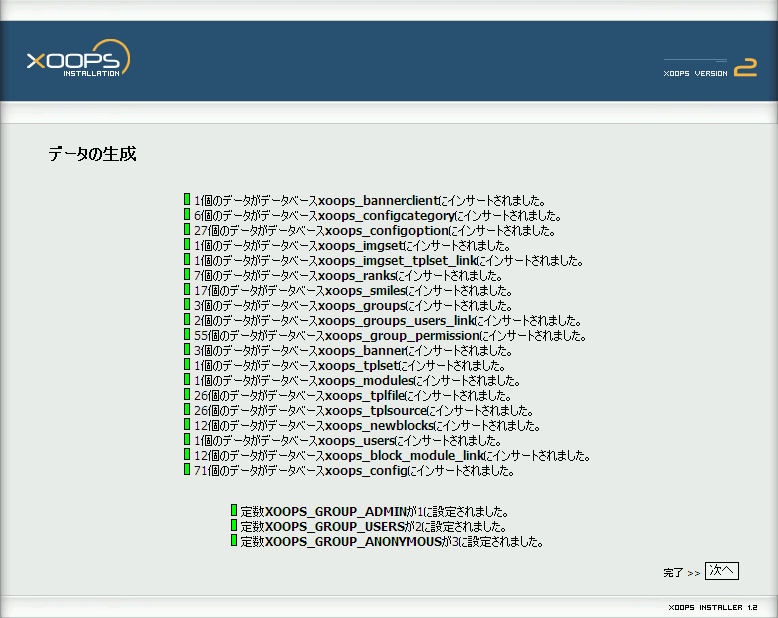
- データの生成

- インストール完了
"サイト" をクリックすると XOOPS の画面が表示される.

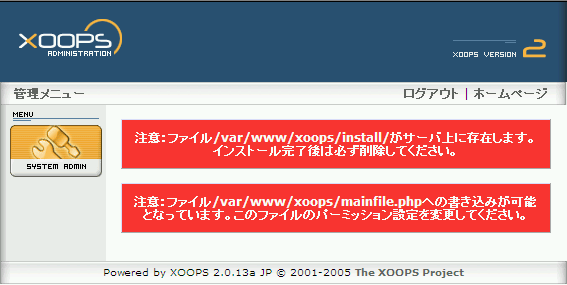
- インストール後,初めて管理者メニューを開くと,以下のような警告が出る.

# rm -rf /var/www/xoops/install
# chmod 644 /var/www/xoops/mainfile.php
- 前提
http://example.com/blog/ に MovableType をインストールしたい.
DocumentRoot は /var/www
- ファイルを展開して /var/www/blog にコピー
% tar xzvf MT-3_2-ja-2.tar.gz
% cp -rf MT-3.2-ja-2 /var/www/blog
- パーミッションと所有者の設定
% cd /var/www/blog
# chown -R www-data:www-data *
# chmod -R 755 *.cgi
- mt-config.cgi を作成
# cp mt-config.cgi-original mt-config.cgi
- mt-config.cgi の設定
# Path setting CGIPath http://example.com/blog/ StaticWebPath http://example.com/blog/mt-static HelpURL http://example.com/blog/mt-static/docs/ # DB Setting ObjectDriver DBI::mysql Database mt DBUser mt DBPassword password DBHost localhost EmailAddressMain admin@example.com
- MovableType用のDBとユーザを作成
% mysqladmin -uroot create mt
% mysql -uroot mysql
mysql> GRANT ALL PRIVILEGES ON mt.* TO mt@localhost IDENTIFIED BY 'password' WITH GRANT OPTION;
mysql> quit
% mysqladmin -uroot reload
- apacheの設定
/etc/apache/conf.d/mt.conf
<Directory /var/www/blog>
Options +ExecCGI
</Directory># apachectl restart
- MovableType のインストール
http://example.com/blog/ からインストールを行う.


500 Internal Server Error が発生したら,パーミッション,mt-config.cgiのDB設定部分を確認.
- インストールのチェック
足りないモジュールなどが表示される.
http://example.com/blog/mt-check.cgi

- オプションのモジュールを追加
Image::Magick
# aptitude install perlmagick
Crypt::DSA
# cpan install Crypt::DSA
XML::Atom
# aptitude install libxml-atom-perl
- 初期ログイン名とパスワードでログイン
| ログイン名 | Melody |
| パスワード | Nelson |

- Reference
Spyware, Adware, Spam, Phishing, Viruses, Identity Theft Protection | SiteAdvisor
http://www.siteadvisor.com/
- via
百式 - その画面を安全に (SiteAdvisor.com)
http://www.100shiki.com/archives/2006/02/_siteadvisorcom.html
読書記録ChangeLog - 2006-02-24
http://dkiroku.com/2006-02-24-2.html